
Report a concern
through the right
secure route.
Tell us about security, privacy, AI, accessibility, abuse, legal, or product concerns so the right team can review and respond.

What kind of concern is this?
Pick the closest route. We only ask for what the receiving team needs to review your report safely — no long generic form.

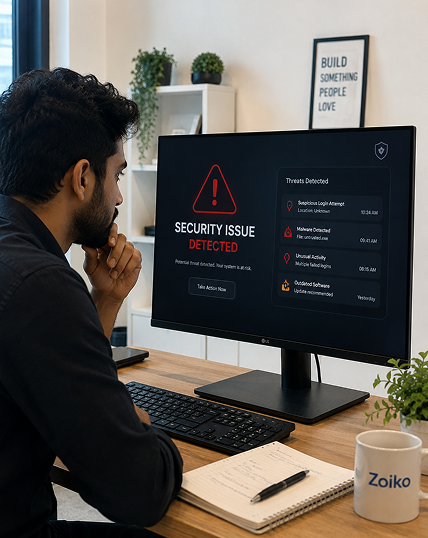
Security issue
Vulnerability, suspicious access, account takeover, exposed credential, or system weakness.
.png)
Privacy & data
Data access, deletion, correction, data handling, DPA, or a privacy request.
.png)
Responsible AI
Incorrect summary, sensitive AI output, misattribution, misuse, or a governance concern.
.png)
Acceptable use / abuse
Spam, harassment, fraud, impersonation, misuse, or unsafe content.
.png)
Accessibility barrier
Keyboard issue, screen-reader issue, captions, contrast, motion, or a form barrier.
.png)
Legal concern
Formal notice, policy question, DPA, rights inquiry, or a contract question.
Do include
- A brief timeline and the affected page or feature
- The account or workspace involved
- Steps to reproduce the issue
- Screenshots with sensitive data removed
Do not include
- Passwords, private keys, or access tokens
- Full payment card details
- Unnecessary personal data
- Confidential third-party data
How your report moves.
Every concern is classified, validated, routed to an owner, and confirmed. Urgent items follow an escalation path where approved.
Classify
Your route and severity map to the correct queue.
Validate
Required fields, attachments, and consent are checked.
Route
Assigned to security, privacy, AI, legal, or support.
Confirm
You receive a reference ID and clear next steps.
Resolve
The owner triages, updates status, and closes the case.





If something needs attention now.
For active risks, use the fastest safe route. Flag urgent reports in the form so they enter a higher-priority queue.

Active security risk
Choose the Security route and flag it urgent. Do not disclose the issue publicly before it is reviewed.

Account safety
If your account may be compromised, report it here and contact your workspace admin to limit access.

Immediate danger
If anyone is in immediate physical danger, contact your local emergency services first, then report here.
Explore the right destination.
.png)
Security Center
Vulnerability reporting, security review, and account protection.

Responsible AI
AI output, misuse, summary accuracy, and governance concerns.
.png)
Privacy & Data
Data requests, privacy concerns, and workspace data handling.
.png)
Compliance
Enterprise assurance, control review, and compliance questions.
.png)
Subprocessors
Vendor and subprocessor questions and update notifications.
.png)
Accessibility
Accessibility statement, barrier reporting, and support routes.
Need help choosing the right concern
route?
Start a protected concern report, visit the Security Center, review Privacy & Data resources, or contact support if your issue is urgent or account-related.
Report a Concern FAQ
Security, privacy, responsible AI, accessibility, acceptable use and abuse, legal, account safety, and product concerns. Pick the route that fits best — you can change it before submitting without losing what you typed.
Do not include production credentials, plain-text account passwords, full unmasked primary account payment numbers (PAN), private encryption keys, or highly confidential customer profiles.
Response times depend directly on the route classification and marked urgency status. Standard triage issues receive a follow-up assignment within 48 business hours.
Yes. All communications incoming through our dedicated trust portal are completely secure, encrypted in transit, and restricted directly to targeted operational support lines.
If you encounter any layout or validation engine blockers using clear assistive software frameworks, please reach out to alternate access workflows at trust-compliance@domain.com.