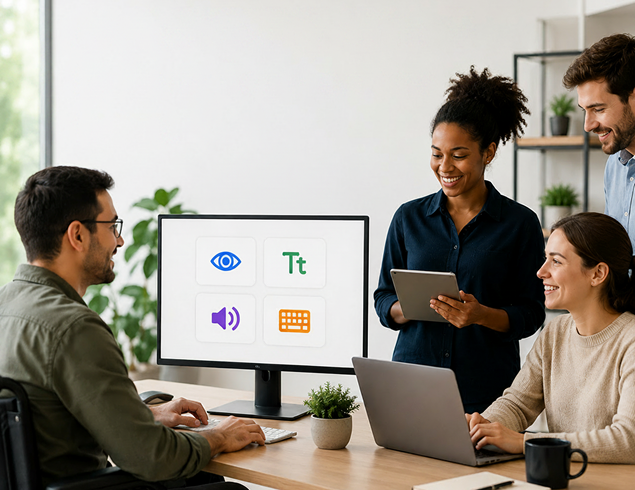
Accessibility built for everyone on the team.
Our ongoing commitment to inclusive design — how we test, where conformance stands today, known limitations, and how to report a barrier so it gets fixed.
Accessibility statement
Our commitment, in plain terms.
Zoiko Sema is committed to providing a communication workspace usable by people with a wide range of abilities. We follow WCAG guidance, test regularly, and welcome feedback — without claiming a conformance level we haven't verified.
Screen reader users
Semantic structure, labels, and live regions across core flows.
Keyboard-only users
Full task completion without a mouse, with visible focus states.
Low vision users
Contrast, scalable text, and zoom-friendly layouts.
Cognitive & motor
Clear language, forgiving timing, and reduced motion options.
Accessibility coverage map
Perceivable, Operable, Understandable, Robust — and Governed.
The four WCAG principles, plus how we govern accessibility as an ongoing program rather than a one-time checklist.
Perceivable
Text alternatives, captions, and sufficient contrast.
Operable
Keyboard access, focus order, and enough time.
Understandable
Predictable, readable, with clear error handling.
Robust
Works with assistive technologies and browsers.
Governed
Owned as a program with testing, tracking, reporting.

Conformance & product coverage
Where each surface stands today.
Conformance varies by surface and feature. Status reflects internal testing and is reviewed on a rolling basis — not a certified audit unless noted.
Messaging & channels
Core messaging flows tested with screen readers and keyboard navigation.
SupportedMeetings
Captions and keyboard controls supported; some layouts being refined.
PartialAdmin console
Core settings accessible; complex tables under active review.
PartialMobile apps
Screen-reader labeling and touch target sizing in progress.
In progressAI summaries & assistant
Text output is accessible; UI polish ongoing.
PartialNotifications
Accessible across supported channels and devices.
SupportedOnboarding & settings
Keyboard and screen-reader tested end-to-end.
SupportedTesting & evidence
How we verify accessibility.
Testing methods
Automated scanning
Continuous checks integrated into development workflows.
Manual keyboard testing
Every core flow walked through without a mouse.
Screen reader testing
Tested with common assistive technologies.
User feedback
Barrier reports feed directly into the roadmap.

Known limitations
What we're still improving.
Transparency over overclaiming. These are areas we know need work, tracked with active remediation.
Complex admin tables
Some data tables in the admin console need improved screen-reader navigation.
Targeted next release
Meeting layout on mobile
Some meeting grids on small screens can be difficult to navigate by touch.
In active design
Custom emoji picker
The emoji picker lacks full keyboard arrow-key navigation.
Backlog, tracked
Barrier reporting flow
What happens after you report.
Report submitted
Describe the barrier and the area affected — email is optional.
Triage
The accessibility team reviews severity and affected surfaces.
Remediation
Confirmed issues are tracked and fixed alongside the roadmap.
Follow-up
If you shared contact info, we let you know what changed.

Report a barrier
Tell us what's not working.
Choose an area — the form adapts routing guidance and confirmation. This is a design prototype; live submissions route to the accessibility team.

General support
Contact Support for account-level issues.
Procurement documentation
Request a VPAT / ACR for compliance.
Security concern
Use Report a Concern for security issues.
Related trust material
Connected resources.
Compliance
Evidence library, review paths, and VPAT / ACR requests.
Security Center
Security safeguards, access controls, and review.

Privacy & Data
Data practices, controls, and request routes.
Report a Concern
Raise a security, privacy, or misuse concern.
Need a VPAT, ACR, or accessibility review?
Request accessibility documentation, report a barrier, or connect with the right team for procurement and compliance review.