
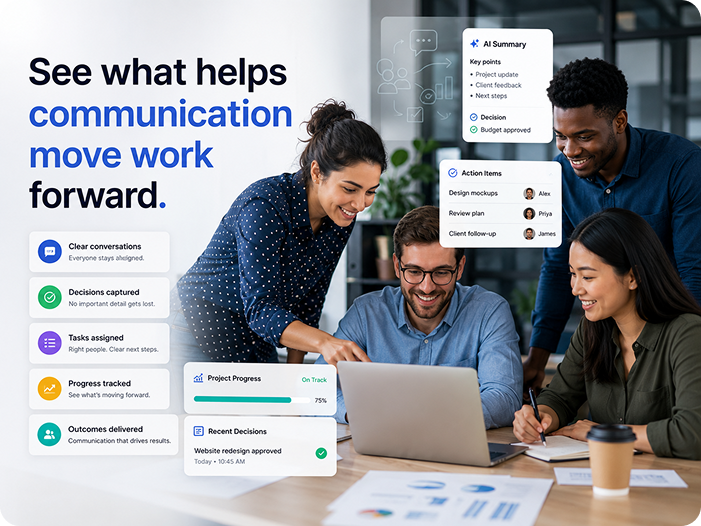
See what helps
communication
move work
forward.
Understand adoption, meeting-to-work follow-through, AI usage, guest access, and policy health through role-aware reporting — with clear metric definitions and privacy boundaries.
Aggregate, permission-aware, methodology-defined, and designed without hidden employee scoring.
cohort
ownership
sync
A reporting shell built for decisions,
not vanity
Switch modules to see role-aware scope, defined metrics, trends, and attention states. Every value is illustrative — open a metric's ⓘ to read its definition.
Follow-through
A number isn't publishable until its
meaning is
Every KPI ships with a governed definition, formula, source, eligible population, exclusions, freshness, owner, and privacy rule.

What we report — and what we
refuse to
Six reporting categories with explicit boundaries, plus one category we will not
design, infer, calculate, expose, export, or market.
returning?
performance claim.
work?
shared?
analysis.
restricted?
use.
reviewed?
connections healthy?
scope.
completed, owned work
means something.
decision
views use saved-view identifiers — never
private values in a URL.
audit rules apply to every export, with content
minimization.
success, retries, and failures are reported so
nothing silently breaks.
reviews, or failed syncs — routed to the right
owner, not broadcast.
unowned actions become a worklist authorized
roles can clear.
surface with a retry and support route — no
data loss.
Add approved aggregate
workforce context
Business and Enterprise customers can connect ZoikoTime under customer-
controlled privacy, mapping, and policy settings. It's never implied in every plan.
teams to authorized ZoikoTime units. Only
aggregates defined in the integration
contract flow — no communication content
transfer.
signal availability and minimum-cohort
aggregation. Privacy mode is set by the
customer, not assumed.
connected, needs review, stale, error, or
disabled — each with an audit trail and
support route.
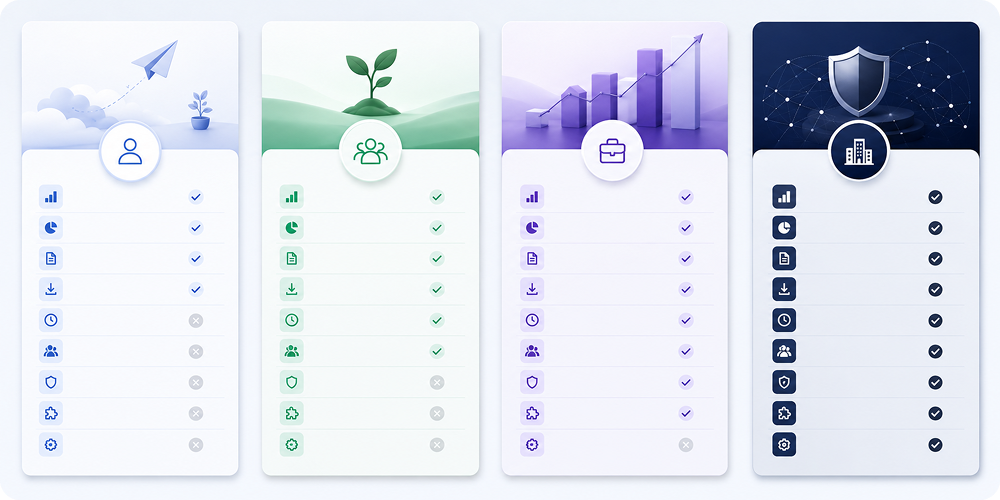
What each plan can report
Proposed plan-gate matrix — final entitlements confirmed by Commercial. Locked capabilities show a clear upgrade or request access route.
Reporting with boundaries you can
verify
Aggregate, role-aware, minimum-cohort, and policy-aware — with the
documentation procurement and security teams expect.
surveillance, or automatic HR conclusion.
cohorts, and workspace controls.
and legal-hold context.
keyboard flow, and reduced-motion.
freshness, and version history.
Direct answers on privacy, metrics
& plans
No. The design prohibits hidden employee scoring, behavior policing, content surveillance, and automatic HR conclusions. Reporting is aggregate, role-aware, and minimum cohort, and it refuses to direct-link a metric to an individual comparison.
It reports on adoption, meeting-to-work follow-through, collaboration health, AI usage & governance, security & access, and operational context. It helps administrators understand workspace usage and compliance without exposing private content.
Every KPI ships with a governed definition, formula, source, eligible population, exclusions, freshness, owner, and privacy rule so that metrics are completely transparent and verifiable.
No. Insights and analytics operate strictly on metadata and event logs. Transcript content, meeting audio, and direct message contents are never parsed or surfaced in these reports.
Yes. Role-permitted users can save views, export row data, schedule recurring deliveries, and set thresholds for alerts, subject to the organization's retention and data classification policies.
Access to these reports is governed by strict role-based access control (RBAC). Only designated administrators, compliance officers, and authorized managers can view this level of reporting.
ZoikoTime is an optional context layer that Business and Enterprise customers can connect to aggregate workforce signals (e.g., calendar availability). It operates under customer-controlled privacy settings.
No. Any data shown in public demonstrations, marketing materials, or unauthenticated product tours is strictly illustrative demonstration data.
The dashboard clearly marks data freshness and will flag incomplete or stale data sources. It refuses to render misleading metrics if the underlying data connection has failed or policy prevents its calculation.